Water
Water in the engine is a material, not a type. A mesh whose dh.material carries a
water block is the body: a brush, or an imported node marked
a part whose dh.collider state is "trigger". There is no water primitive and no second place to author one.
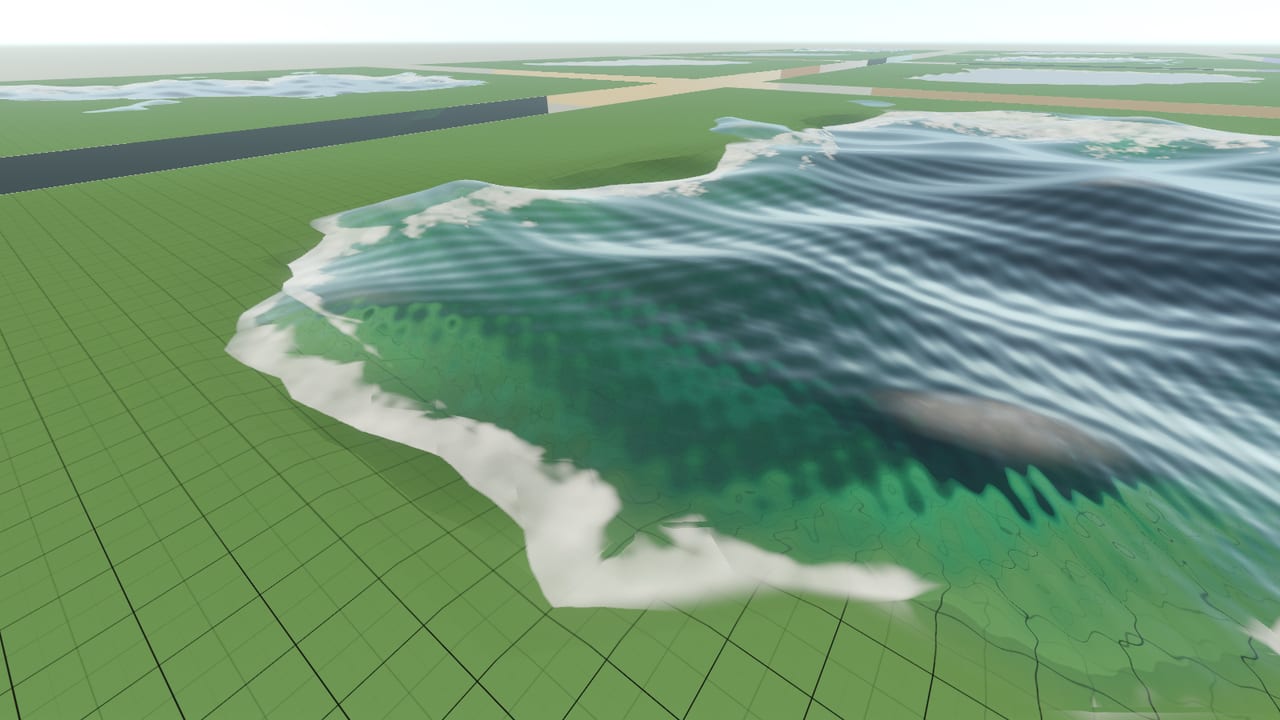
That one material decides everything at once — what the body looks like, how it bends light, whether it lifts or drowns a swimmer, and how high a crate rides in it. This page is the tour. The fields themselves are documented on the material type page, the mover’s side under Swimming and buoyancy, and the render pass under Water in the camera pipeline.
The eleven bodies
Section titled “The eleven bodies”Ocean, pond and pool are different physics, not different tints. An author picks the preset closest to the body wanted and overrides the couple of fields that make it the place it is.
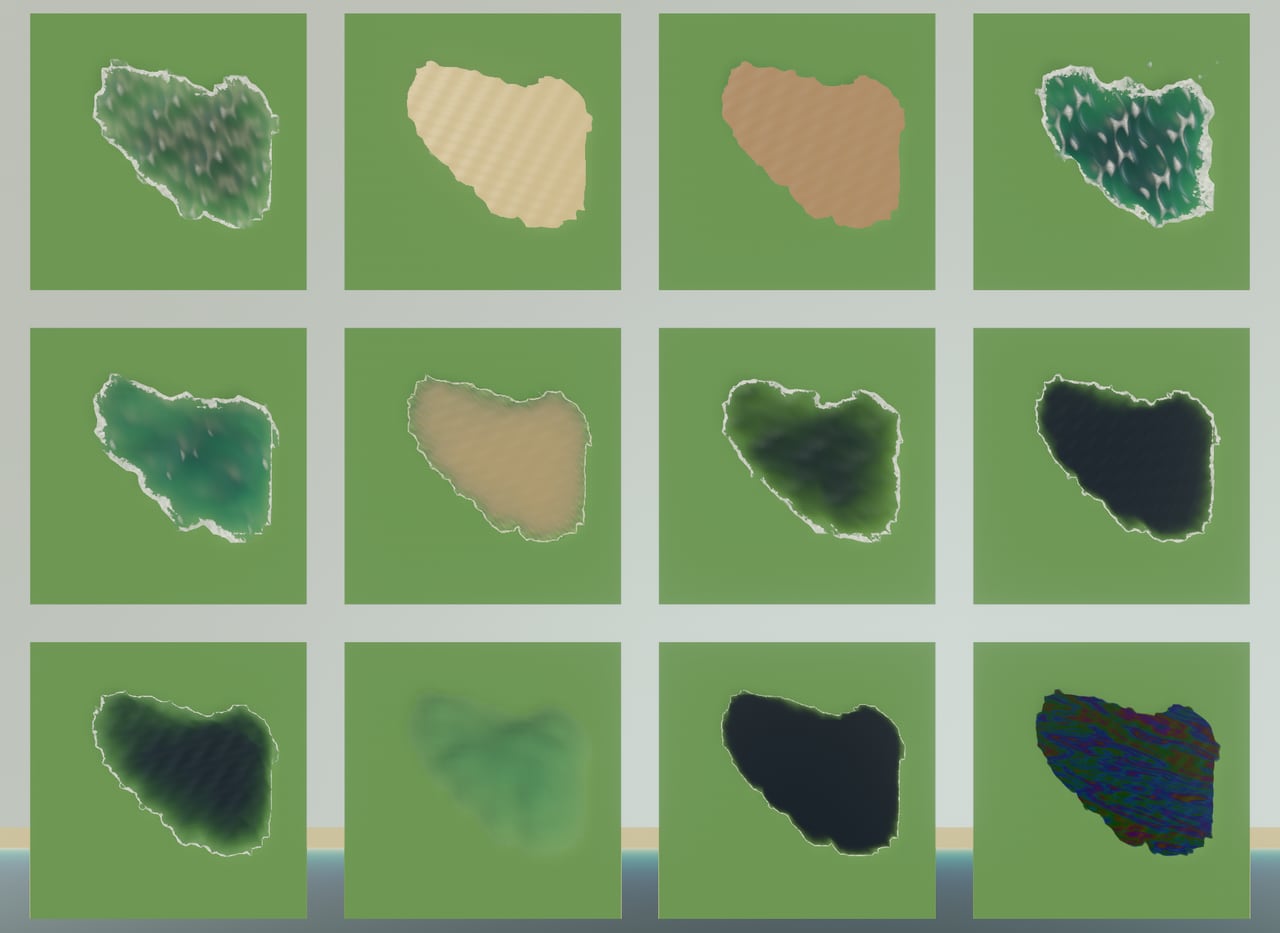
Every picture below is the same map, the same sun and the same green bank, each shot from the same
height over its own pool: core:maps/water-presets, which ships for exactly this comparison.
| Preset | What it is | A swimmer | |
|---|---|---|---|
 | ocean | Open salt water: long swell, wide foam, red absorbed hardest so the depths go blue | lifts |
 | lake | The default. Fresh water with enough dissolved organics to read green rather than blue | hangs |
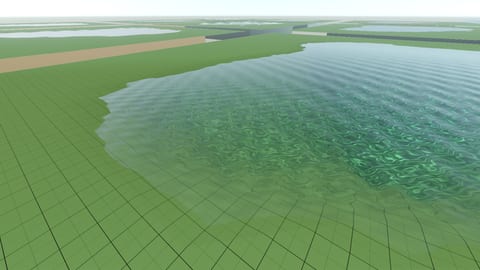 | pool | Near-clear water over a bright painted bottom — the blue is the paint | hangs |
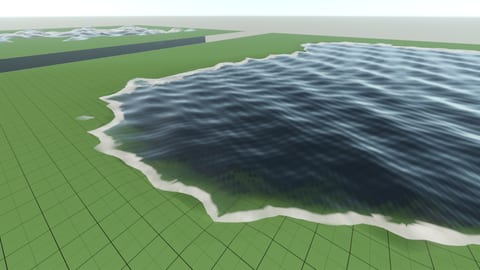 | river | The one preset that flows by default: 1.3 m/s in +x, and short steep chop | hangs |
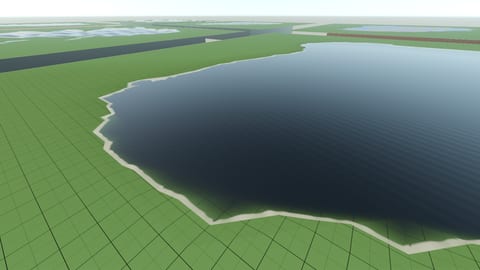 | swamp | Dead, waveless, tea-dark; thin enough that it will not hold you up | sinks |
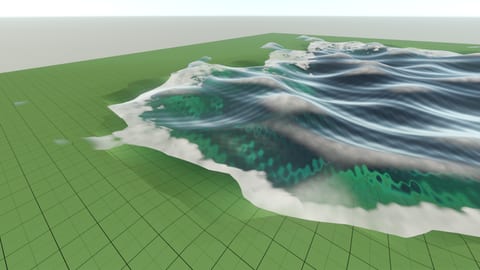 | stylized | Buoyant by art direction, not by chemistry: tall waves, cartoon cyan | lifts |
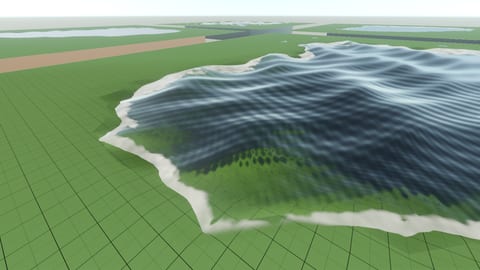 | baltic | Brackish sea, murky from dissolved organics rather than silt — dim but not dark | lifts a little |
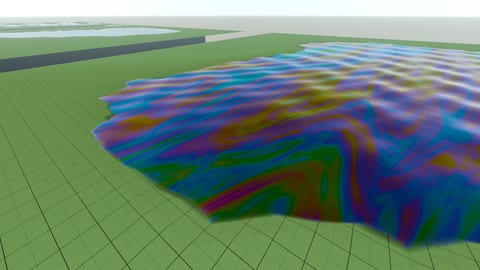 | oil | Not water at all: opaque within a quarter meter, and the only body with a sheen | sinks, hard |
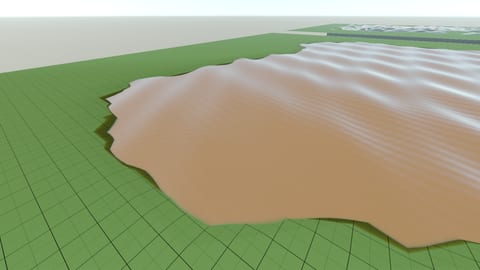 | mud | Suspended matter to the point of opacity, pale rather than black, and glossy | lifts |
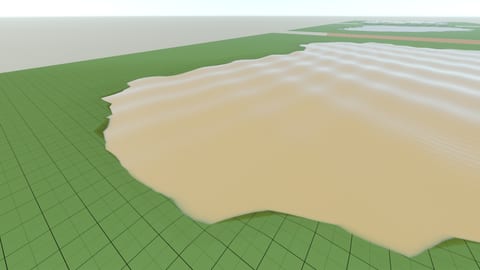 | quicksand | Twice a person’s density: you stand at waist height and cannot go under | lifts at −g |
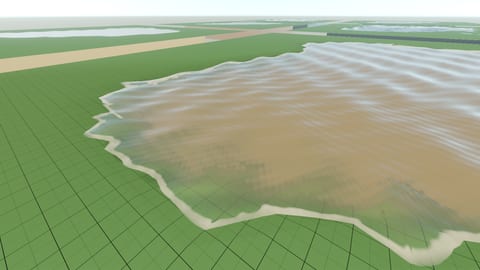 | silt | A river’s suspended load over fresh water: veiled, brightened, bed still visible | lifts a little |
Each ships as a family of three — the base, a mirror-flat …Still and a flowing …Flowing — so a
map usually names an existing material rather than authoring a water block at all. The
core water set lists all thirty-three.
Murk is two things
Section titled “Murk is two things”This is why there are two pairs of fields rather than one cloudiness slider.
transmittanceColor/atDistance are the absorbing half; scatter/scatterColor are the scattering
half. Neither can fake the other: turning absorption up to make a body murky makes it dark, which
is a swamp, and a swamp is not mud. The
full account is on the material page.
There is one more, optional field for the far color: fogColor. The haze pair is lit (the sun and
sky multiply it), while fogColor is the unlit sRGB color the water settles to with distance, used as
stated. When a material sets it, that color replaces the lit in-scatter in the one medium law that
both the surface and the under-water fog call, so the view from above and from inside agree.
Absorption and distance behave as before, and a material that does not set it renders byte for byte
as it did. It is what Source’s $fogcolor imports to.
The practical consequence for anyone fitting a new preset: coastal and pond water is CDOM-dominated and absorbs blue hardest, transmitting green-yellow. Reaching for the ocean’s ratio gives a pond that is wrongly blue, which is the single most common mistake in authored water.
Why the ocean is blue
Section titled “Why the ocean is blue”Pure water is not colorless; it absorbs red about twenty times harder than blue. Measured by integrating cavity:
| Wavelength | Channel | Absorption a |
|---|---|---|
| 475 nm | blue | 0.0114 m⁻¹ |
| 525 nm | green | 0.0417 m⁻¹ |
| 600 nm | red | 0.222 m⁻¹ |
R : G : B ≈ 19.5 : 3.7 : 1. That ratio is “red dies first, hence blue”, quantified — and it is
what the ocean preset’s transmittanceColor is fitted to. Source: Pope & Fry (1997) via the
OMLC water-absorption compendium; Jerlov-type fits
from Solonenko & Mobley (2015), Applied Optics 54, 5392–5401.

Twenty-six meters down in the ocean body there is no red left in the frame at all — the render above is blue where it is anything, and black where the water has eaten the rest.
The engine never takes an absorption coefficient directly. An author states a color and a distance —
“at four meters it looks like this” — and the extinction the shader uses is derived at load as
-ln(color) / distance per channel in linear light.
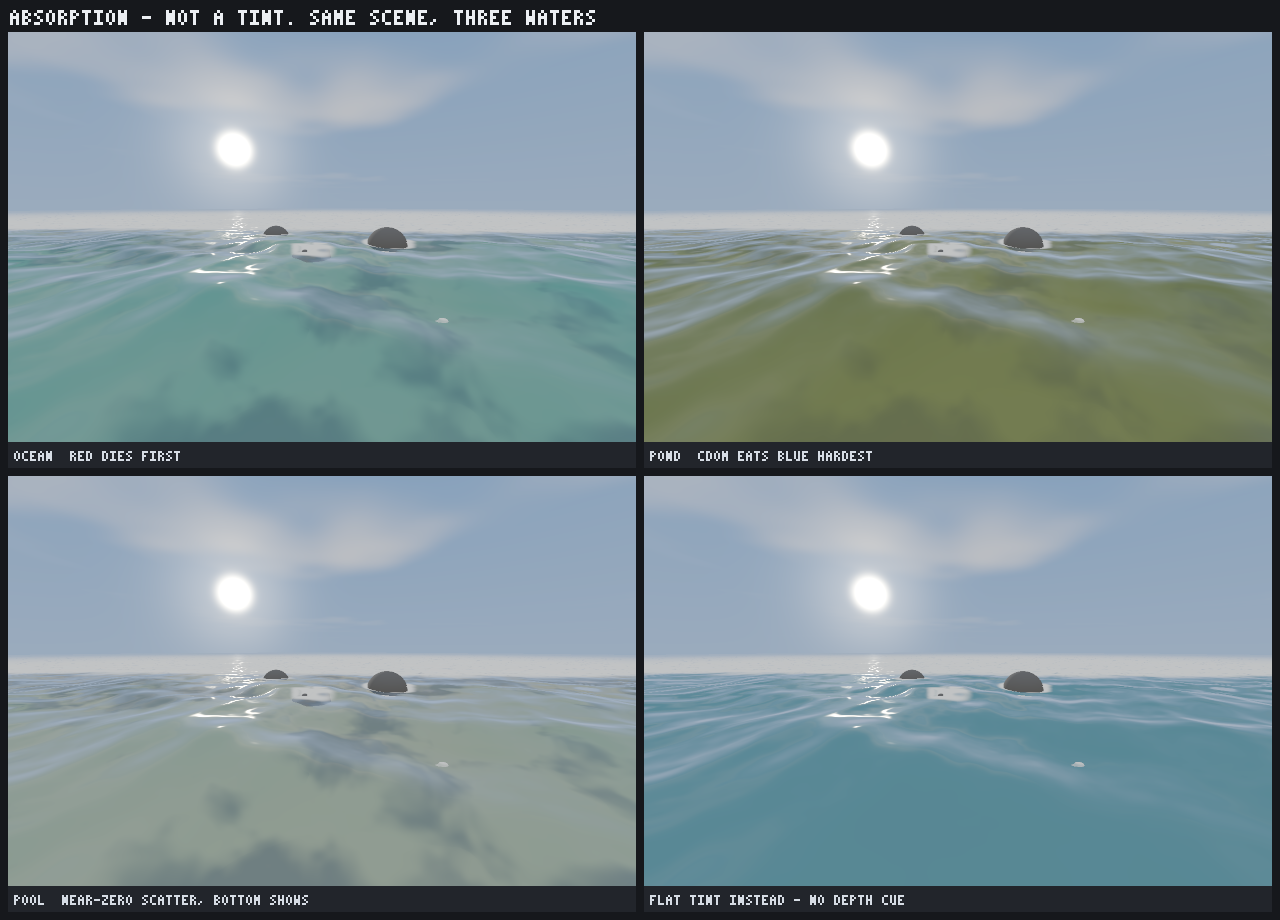
The fourth panel is the point. A flat tint is a color; absorption is a color per meter of path, so it is what tells you how far off the bottom is. Take it out and the water stops reporting depth.
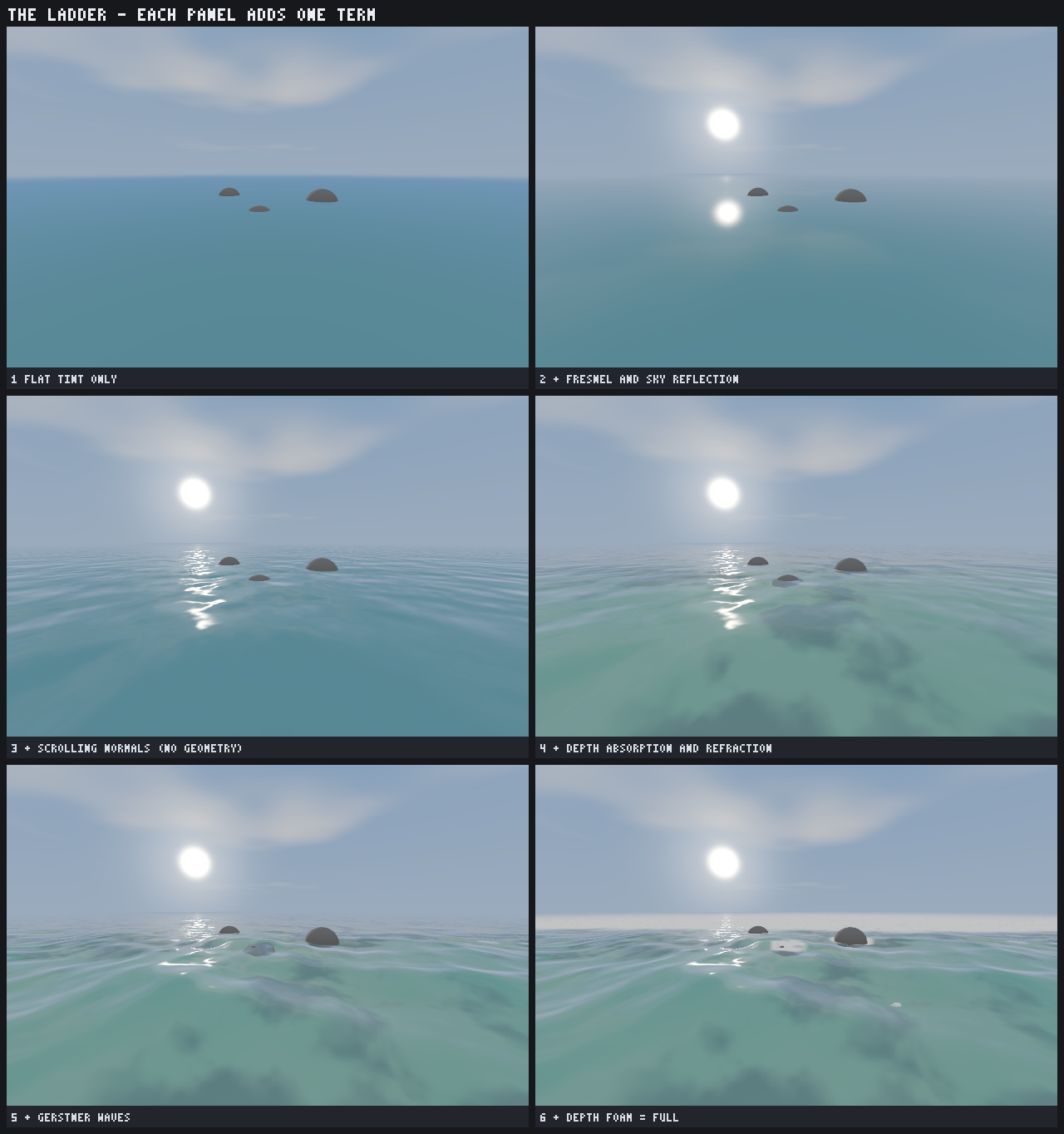
That is one term of six. Each panel below adds exactly one more, in the order the shader stacks them:
Salt, density, and the window overhead
Section titled “Salt, density, and the window overhead”A body’s density is the one water number a player feels, and it does three jobs from the one value:
it weighs against world.water.playerDensity to decide whether a swimmer rises or sinks, it is what
buoyancy samplers weigh a floating prop against, and — unless a material states ior — it derives the
index of refraction as 1.3330 + 0.00026 · (density − 1000).
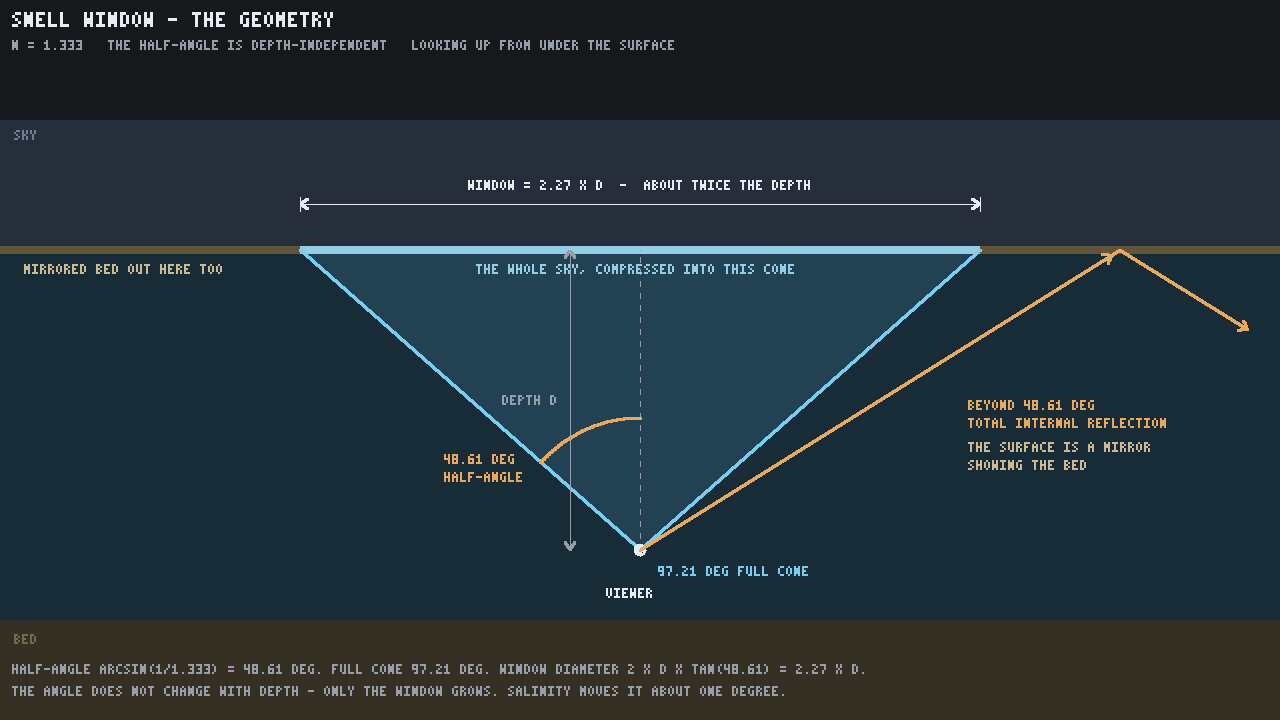
That index sets how wide the Snell window opens overhead: the cone through which the whole sky
above the surface is compressed. At n = 1.333 the half-angle is 48.61°, the full cone 97.2°,
and the window on the surface is about twice your depth across — the angle itself is
depth-independent.
Inside the window the surface shows the world above the water: the scene the frame already drew behind it, displaced by the ripple slope the way the front face displaces the bed, so the banks, the props and the sky wobble overhead. Past the critical angle the underside is a total internal reflection of the body itself, and what it mirrors is the underwater scene: the reflected ray is marched through the depth the frame already drew (the same march the front face uses), so the bed and the banks are in it. A ray the march loses, off the screen or past its reach, is taken to have crossed ten more meters of the body and settles to the water’s far color through the medium law, so a murky canal goes to its brown and a clear pool to its blue. The scene sample in the window and a mirror hit both come out of the scene copy already fogged by the opaque stage over their own meters, so neither goes through the medium again.
A material may opt out with totalInternalReflection: false draws no mirror from below, and the whole
underside shows the refracted world above, which is how Source’s water looks from under the surface.
The default is true, the physical underside.
{ "$type": "dh.material", "shader": "water", "water": { "totalInternalReflection": false } }A body imported as a bare sheet, which is what a Source water brush becomes, has a flat box. Its floor is lowered to the lowest solid vertex standing under one of its own triangles, so an eye between the bed and the surface is in the water and the camera, the fog and the swim mover all say so on the same frame.
Only level triangles and walls bound a node’s body. A sloped sheet, such as a stream running down a ramp, draws with the water material but mints no volume: nobody is inside it, and standing on the ramp is not standing in a box of water. A node whose water is all sloped gets no body at all.
A node’s level triangles split into connected sheets: triangles that share a vertex and stand at the same height. Each sheet is its own body, so a terraced stream, one node whose steps are level quads at several heights, mints one thin body per step and each is lowered onto its own bed. An eye between the steps is in none of them. A wall joins every triangle it touches, so a closed pool stays one deep body whatever heights its floor and surface stand at.
The fog behind a surface is the slant path between the surface and what lies under it, capped at a
multiple of the water’s vertical depth there (client.render.waterSlantCap, default 2). Uncapped, a
shallow pond seen almost edge-on crosses its depth at depth / sin(grazing angle) and reads as meters of
water. 1 fades by vertical depth alone and a very large value restores the plain slant path.
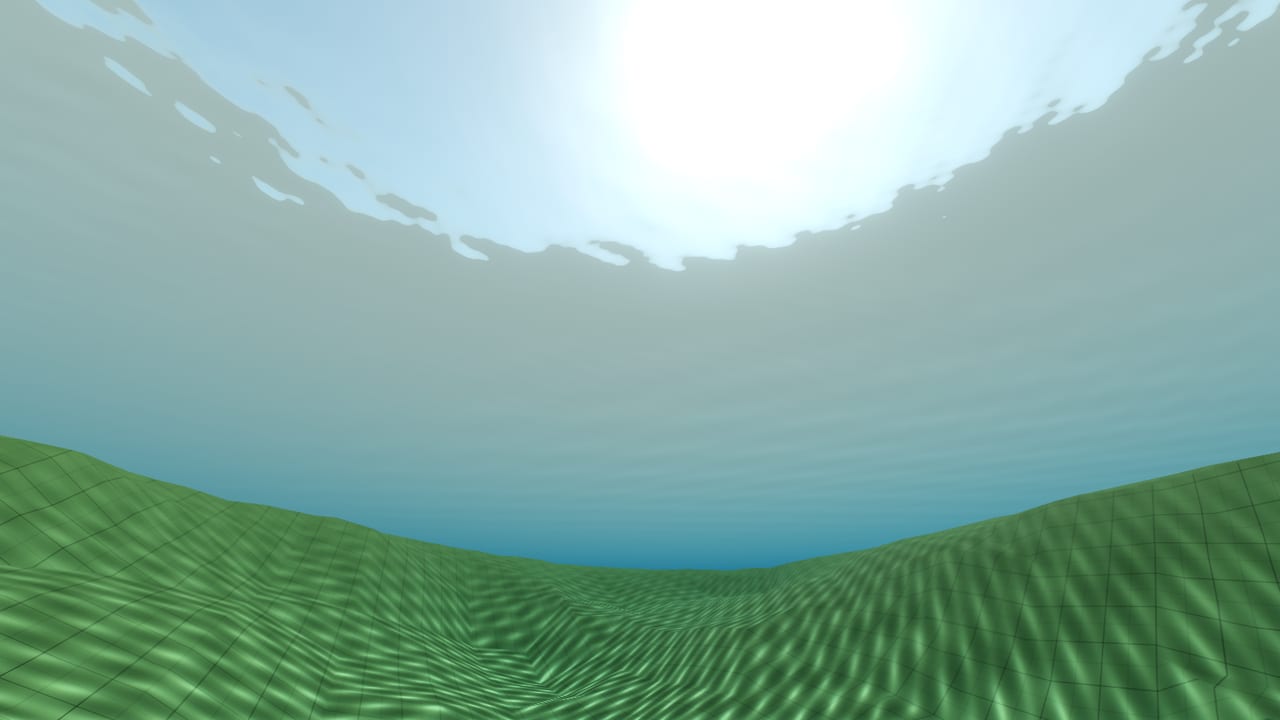
Salinity really does move this, and it moves it almost nothing. Fresh water is n = 1.3330 and a
97.2° cone; full seawater is n ≈ 1.3394. The entire Earth range is about one degree of cone.
The coupling is physically real and visually dead — which is why stylized at 1060 kg/m³ exists: art
direction, not chemistry, is what makes a difference you can see.
In the water
Section titled “In the water”The mover switches to swimming at waist depth, from a three-point test — feet, waist, eyes — against the water’s displaced surface at the pawn’s own column, with a hysteresis band so a small wave cannot flicker it. Under the waist you wade; over it you swim, with a slower cap, a view-relative three-dimensional wish, and a ledge climb-out that lifts you onto a bank.
Because water is a sensor rather than ground, a pawn over it is never grounded — no ground friction, no ground acceleration, and no footstep, because the footstep takes its surface from a ground hit there is no longer any of. That is one rule, not three special cases.
The camera asks the same water field the mover does, not the geometry the renderer happens to draw, so an eye a hair under the surface fogs on the very frame the pawn starts swimming — even in a pool authored as a thin slab over an empty basin.
The full rules, the preference names and the per-player overrides are in Swimming and buoyancy.
What the surface mirrors
Section titled “What the surface mirrors”The front face first marches its mirror ray through the depth the frame has already drawn, so the fence, the gate and the props standing over a canal are in the water’s own picture, as sharp as the ripples let them be. Where the ray leaves the screen, or finds only sky, the reflection is the map’s baked reflection probes, the same ones a glossy floor or a pane of glass reads, and the sky only where no probe reaches. A pond under buildings mirrors the buildings, as far as a probe captured them, with a Fresnel term and the ripples breaking the image up. It is the look of Source’s “simple reflections” water detail level: the nearest cubemap, not a mirror render of the world.
Every probe the map baked is resident, so the probe a pond mirrors never depends on where the camera is: the probe box holding the point, else the probe the water’s draw is bound to (the one its primitive names, else the nearest probe with no box). See reflection probes for the rule.
Authored ripples
Section titled “Authored ripples”The procedural chop is four fixed layers of slope, so it reads regular. A water material may instead (or as
well) take its ripples from a normal map: its own normal texture channel, read flat in the plane of the
surface so it needs no UVs and a cut mesh tiles it without a seam.
{ "$type": "dh.material", "shader": "water", "textures": { "normal": "/textures/water_normal.normal.png" }, "flipbook": { "columns": 6, "rows": 5, "frames": 29, "fps": 30 }, "uvScroll": [0.035, 0.035], "water": { "normalStrength": 5, "normalMix": 1, "normalScale": 1.6, "refractionScale": 1.5 }}normalStrengthis the switch and the gain. Zero, the default, never samples the texture, so every existing material shades exactly as it did.normalMixcrossfades the two sources: 0 is the chop alone, 1 is the texture alone, and a texture that supplies a share takes that share from the chop, so the two never stack.normalScaleis the meters one tile spans.normalScale2andnormalScroll2read the same texture a second time at another size and drift, which breaks the repeat.- The animation is the material’s own:
uvScrolldrifts the first read in tiles per second andflipbookplays an atlas of normal maps on the world clock, the same two fields every other texture channel takes. A water flipbook always loops. Captures at one clock time show one frame. refractionScaleandreflectionScalescale how far the ripples, whatever their source, displace the refracted picture and warp the reflection. The amount reflected stays the Fresnel term.
The texture is tangent space with green up, as DH normal maps are everywhere. The caustics under the water
still come from the procedural chop, so a body that takes all its ripples from the texture should state its
own causticStrength. The shader reads the map through a fourth descriptor set (the material’s texture set,
bound per draw) and four trailing 16-byte lanes in the water row: 64 bytes more per water material, and one
more sampled texture per water fragment only where a strength is stated.
Calm water and caustics
Section titled “Calm water and caustics”A body authored with waveScale: 0 has no swell at all, and still ripples: its chopScale ripples are
evaluated whatever the swell is doing. Zeroing chopScale as well is what makes it mirror-flat, which is
what the …Still materials do.
The bright net a body throws onto what lies under it is focused by those ripples as well as by the swell,
so it is as fine as the water’s surface texture rather than as wide as its waves. A net too fine for the
pixels it lands on fades toward flat light instead of sparkling. Two knobs are the scene’s:
client.render.waterCaustics scales every body’s own causticStrength, and
client.render.waterCausticCeiling sets how bright a focused line may get, as a multiple of flat
water’s light (8 by default; 1 turns caustics off).
Finding the numbers
Section titled “Finding the numbers”Water is meant to be tuned live rather than compiled repeatedly. Every field in the block, the preset included, can be retuned in a running map:
material.set core:materials/water-lake water.preset balticmaterial.set core:materials/water-lake water.scatter 0.4Picking a preset drops the live overrides of the fields that preset seeds, so the body looks exactly like the preset chosen no matter what was touched before — and it is one undo either way. See material overrides.
A handful of knobs are the scene’s rather than the material’s, and those are client preferences
applied live: client.render.waterWaves, client.render.waterFoam, client.render.waterMirrorBlur
and the rest of the client.render.water* family.